Prerequisites:
Change Map view control (Show / Hide Fullscreen Map) : Default is “J”. This key conflicts and must be changed.
Enabling Web Maps:
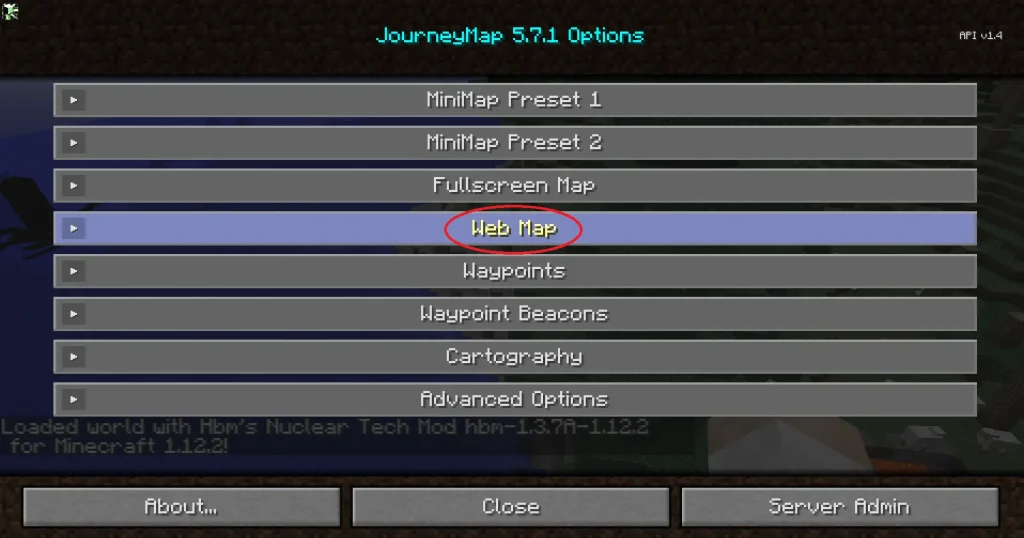
1. Press your new map key
2. Click on Options
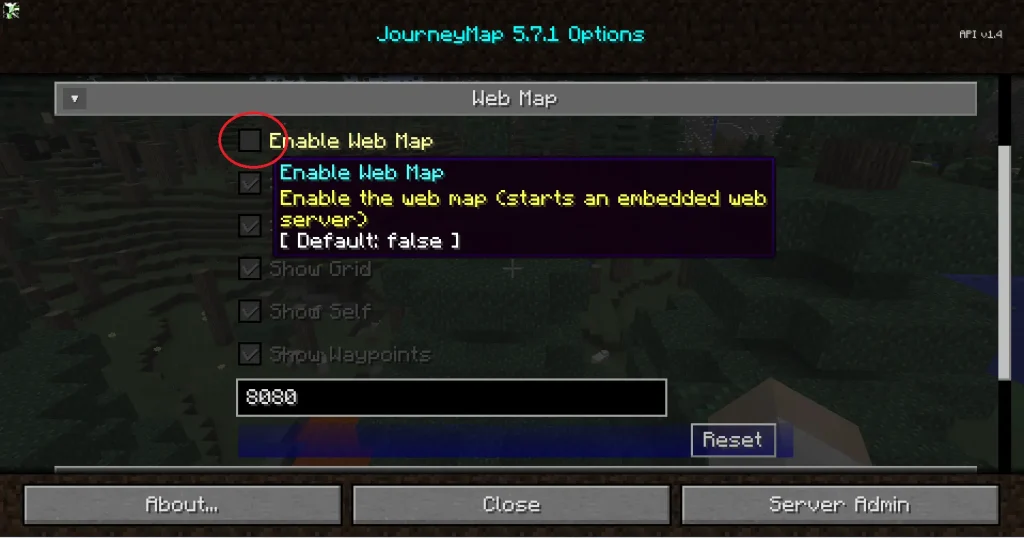
3. Click on Web Maps
4. Click Enable Web Maps
Accessing Web Maps:
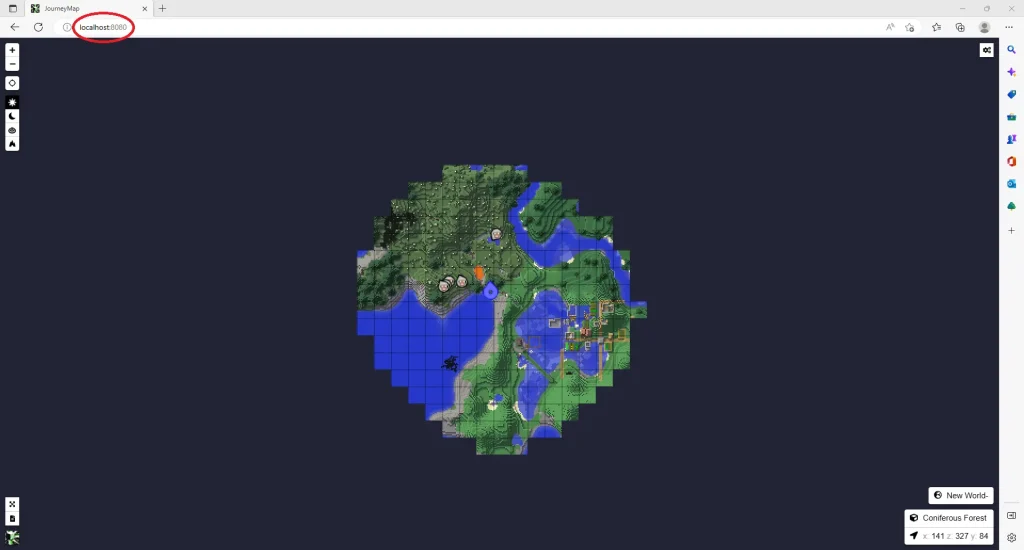
1. Open your Web Browser
2. Type in the URL: “localhost:8080“
**Note: The port (8080) is customisable. Confirm your port number in the Web Maps options menu**